myQ Smart Garage Control Langley | Setup, Wi-Fi & Compatibility
myQ setup and smart-access guidance

myQ Smart Garage Control in Langley

Set up or troubleshoot myQ smart garage access by first identifying the equipment you have: a garage door opener with built-in myQ Wi-Fi, an add-on Smart Garage Control hub and door sensor, or an opener that is not compatible with the selected myQ device.

App problems do not always mean the opener needs replacement. The cause may involve home Wi-Fi, a changed router or password, hub power, door-sensor position or battery, pairing, account settings—or a separate mechanical problem with the garage door itself.

  • Compatibility and equipment identification
  • Wi-Fi, pairing and door-sensor troubleshooting
  • Alerts, schedules, users and smart-access planning

myQ Smart Garage Control setup and app-based garage access in Langley
Tell us which myQ equipment is installed A photo of the opener label, learn button, hub, door sensor and app error can help separate compatibility, pairing and network issues.
Start with the equipment

Which myQ setup do you have?

Setup steps and likely faults differ between an opener with myQ built in, an add-on Smart Garage Control and an older opener that may not pair reliably.

01

Built-in Wi-Fi or Powered by myQ opener

Compatible Chamberlain and LiftMaster openers with Wi-Fi or myQ branding may connect directly through the myQ app without a separate retrofit hub.

  • Identify the opener model and label
  • Confirm Wi-Fi and setup mode
  • Review app account and device status
02

Add-on Smart Garage Control

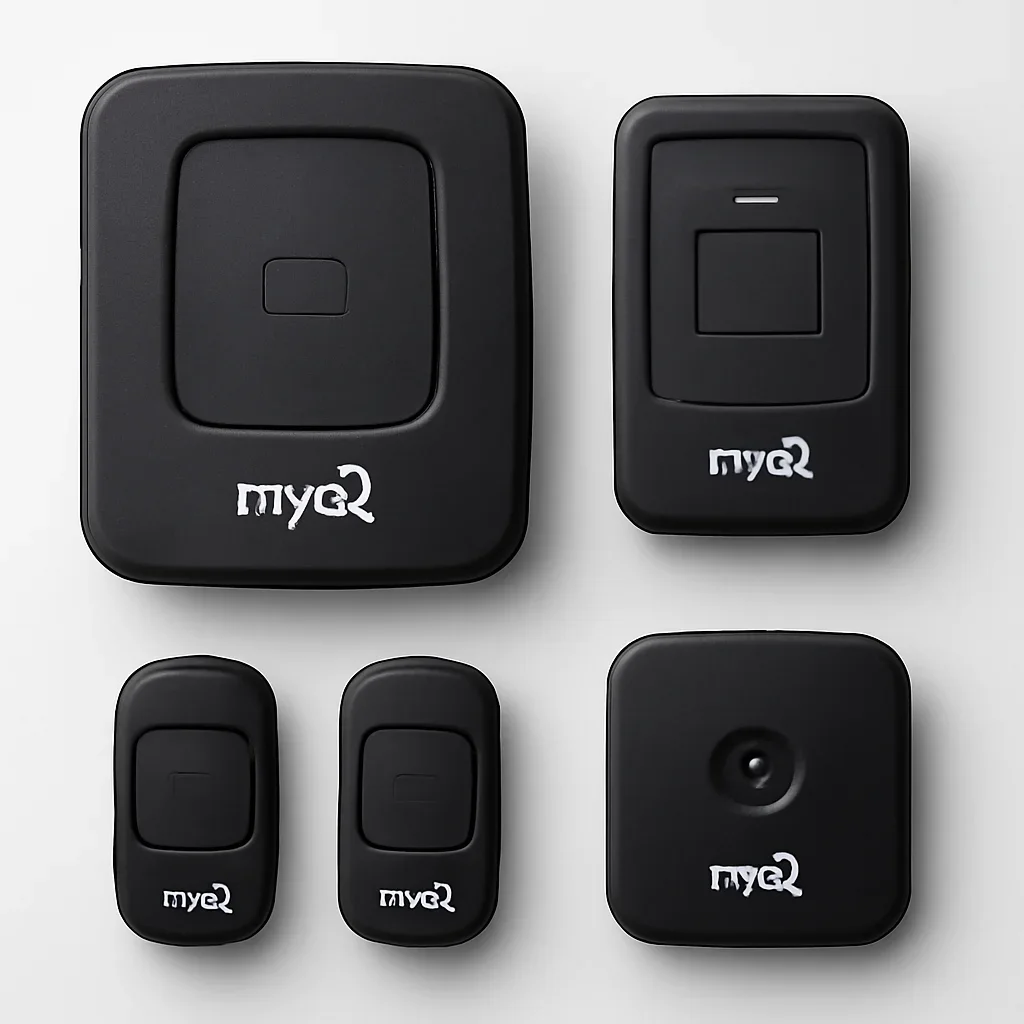
This setup uses a powered Wi-Fi hub plus a door-position sensor mounted on the top section of the garage door and paired to the opener.

  • Confirm hub power and indicator state
  • Check sensor placement and battery
  • Verify opener pairing and compatibility
03

Unconfirmed or incompatible opener

An opener may be too old, use an unsupported control system or have a brand-specific exception. Check compatibility before buying accessories or replacing working equipment.

  • Record brand, model and approximate year
  • Photograph the learn or program button
  • Compare repair, retrofit or replacement
Check before buying or pairing

What determines myQ Smart Garage Control compatibility?

The Smart Garage Control works with many residential openers, but “manufactured after 1993” is a starting point—not a guarantee for every brand and model.

Opener age and safety sensors

Many compatible retrofit applications involve residential openers made after 1993 with standard photo-eye safety sensors. Exact brand exceptions still need checking.

Basic compatibility screen

Learn or program button

The opener should have a supported learn or program method. Button colour, brand and control technology can affect the pairing path.

Pairing-method check

Door and opener operation

The opener should already operate the garage door safely from its normal wall control. myQ cannot correct a heavy, binding, crooked or off-track door.

Mechanical-condition check

Wi-Fi at the garage

Most myQ garage hubs and openers rely on a 2.4 GHz home Wi-Fi connection with usable signal where the device is installed.

Network check

Hub and sensor placement

The Smart Garage Control hub and door sensor must be installed and paired according to the product instructions. Incorrect sensor orientation can prevent reliable status reporting.

Hardware-layout check

Current app and partner support

App features, vehicle connections, guest access and third-party integrations may vary by device, account, region, subscription and current myQ support.

Feature-availability check

Compare garage door opener options

Smart features with a purpose

What can a compatible myQ setup add to daily garage access?

The most useful features are the ones the household will configure, understand and maintain. Availability can differ by device and current app plan.

01

Door status and app control

Check whether a connected door is reported open or closed and, when the device is fully paired and online, send supported open or close commands.

02

Activity notifications

Create supported push or email notifications for door activity or a door left open, then confirm phone permissions so alerts are not silently blocked.

03

Schedules

Supported app schedules can help close a connected garage door at selected times. They should support—not replace—checking the opening is clear.

04

Shared user access

Use myQ user or guest features instead of sharing one account password. Review which devices and permissions each person actually needs.

05

Connected accessories

Compatible cameras, video keypads, locks or vehicle integrations may expand access options, but each accessory has separate compatibility and setup requirements.

06

Activity history and video options

History, video and storage features vary by connected equipment and subscription. Confirm current plan details before treating them as included.

Safe checks before service

What can you check without opening the motor or rewiring controls?

Start with observations that identify whether the problem is the phone, account, network, hub, door sensor, pairing or the opener itself.

1
Test the normal wall control

If the opener cannot move the door normally from the wall control, resolve the opener or door problem before focusing on the app.

2
Read the app status and exact error

Note whether the device is offline, monitor-only, not responding, showing a low sensor battery or reporting another message.

3
Recall recent network changes

A new router, Wi-Fi name, password, mesh system or internet-provider equipment can require the myQ device to be reconnected.

4
Check power and visible indicators

Confirm the hub or opener has power and record the colour or pattern of visible indicator lights without removing covers.

5
Photograph the sensor and opener label

Include the sensor position, hub, opener model, learn button and any visible app error from a safe position.

What the diagnosis may involve

myQ troubleshooting should follow the full control chain

A failed app command can start at the phone and end at the moving door. Skipping a step can lead to replacing equipment that is still serviceable.

  • myQ account, app permissions and mobile connection
  • Home internet service and router operation
  • 2.4 GHz network availability and garage signal
  • Hub or opener power and device status
  • Door-sensor mounting, orientation and battery
  • Hub-to-opener pairing and learn-button selection
  • Wall control, safety sensors and opener response
  • Door balance, tracks, rollers and safe movement
myQ Smart Garage Control hub, app access and compatible garage door opener details in Langley
Langley connectivity and access reality

Garage location can be the difference between stable and unreliable smart control

Langley properties include compact townhomes, attached garages, detached workshops, rural outbuildings and larger homes where the router may be several rooms away. Fire-separation walls, concrete, metal doors, utility rooms and distance can weaken Wi-Fi at the opener even when the phone works well inside the home.

Before adding a hub, test the practical network path to the garage and plan where the router, mesh node or extender can operate without being blocked by the door or mounted beside sources of interference. A detached garage may also need a more deliberate exterior-entry plan.

During Langley power or internet outages: remote app control may not be available. Know how the manual release works, keep the release inaccessible from outside, and confirm how the garage can be entered when there is no interior access door.

For townhomes, rentals and shared households: use individual app invitations or approved guest access where supported. Avoid sharing the account password, and remove users when access is no longer required.

Browse Langley garage door service areas

Choose the correct service path

Is the problem myQ setup, the opener or the garage door?

Smart control is only one layer of the system. Use the symptom to route the request without assuming the app is responsible for every failure.

Setup or programming

The opener works normally, but myQ will not connect or stay online

Review compatibility, account setup, Wi-Fi, router changes, hub power, sensor battery, device status and re-pairing.

Review opener programming guidance
Opener service

The motor, rail, trolley, controls or safety response is unreliable

Choose opener repair when local controls also fail, the motor behaves abnormally or the door cannot complete normal travel.

Review garage door opener repair
Door repair

The door is heavy, uneven, binding, damaged or off-track

Do not use app commands to repeatedly force a mechanical problem. The springs, cables, tracks, rollers and balance need the correct service path.

Review complete garage door repair
Clear setup process

How to approach a myQ setup or upgrade in Langley

A reliable setup starts with compatibility and safe door operation, then moves through network, device and account configuration.

1

Identify the equipment

Record the opener brand, model, learn button, myQ logo, hub model and door-sensor type.

2

Confirm the foundation

Check safe door movement, opener operation, power, Wi-Fi band and usable signal in the garage.

3

Connect and pair

Follow the current myQ app flow to connect Wi-Fi, add the device, pair the sensor and link the opener.

4

Test access and alerts

Confirm status, commands, notifications, user access, sensors, reversal and the manual-entry plan.

Related smart-access pages

These pages help with opener selection, replacement, installation, sensor faults, controls and pricing.

Opener replacement

Compare replacement when the current opener is incompatible, unreliable or missing the smart-access features the property needs.

Review opener replacement

New opener installation

Use this path when the garage needs a new opener, rail or complete smart-ready operating setup.

Review opener installation

Sensor support guide

Use the guide for alignment, indicator-light and closing-reversal observations before booking.

Read the sensor support guide

Pricing factors

Scope may involve setup, network troubleshooting, sensors, controls, an accessory, opener repair or full replacement.

Review garage door pricing

General service questions

Send the equipment details, exact app error, network changes and safe photos before choosing a service path.

Contact the service team
myQ Smart Garage Control FAQ

Questions Langley homeowners ask

These answers focus on compatibility, Wi-Fi, pairing, offline devices, door sensors, alerts, users and power-outage access.

Read the complete garage door FAQ

Is my garage door opener compatible with myQ Smart Garage Control?

The Smart Garage Control works with many residential openers made after 1993 that use standard safety sensors and a supported learn or program system. Brand and model exceptions exist, so use the current official compatibility information before purchasing or pairing.

Does myQ Smart Garage Control need 2.4 GHz Wi-Fi?

Most myQ garage hubs and openers require a 2.4 GHz home Wi-Fi connection. The network must reach the installed device with usable signal, and router security or network changes can also affect connection.

Why did myQ go offline after I changed my router or Wi-Fi password?

The device still has the previous network information and may need to be reconnected through the current myQ setup flow. Record the device status lights and confirm the new 2.4 GHz network before resetting equipment.

Why does the app say “Monitor Door Only”?

This generally means the door sensor is reporting status to the hub, but the opener is not fully paired for control. Compatibility, pairing, sensor installation and any recent remote or logic-board reset should be reviewed.

Can a low myQ door-sensor battery stop app control?

Yes. The add-on Smart Garage Control relies on its door sensor to report position. A low or failed battery, incorrect mounting or lost pairing can prevent reliable status and commands.

Can myQ send alerts and share garage access?

Supported myQ setups can provide activity notifications and user or guest-access features through the app. Exact permissions and features depend on the device, account and current myQ service, so review access regularly.

Will myQ work during a Langley power or internet outage?

Remote control depends on powered equipment and an internet connection. During an outage, the app may not operate the door. Know the manual-release process and how the garage can be entered when there is no interior access door.

What should I provide when booking myQ service in Langley?

Share the opener brand and model, hub model, learn-button colour, current app status or error, recent router changes, sensor battery warning, whether the wall control works and safe photos of the opener, hub, sensor and door.

Send the equipment details before replacing a working opener

Include your Langley location, opener brand and model, learn-button colour, myQ hub or built-in Wi-Fi details, exact app error, recent network changes, wall-control response and safe photos.